How to Fix a Phone That's Not Charging


When someone walks into my shop and says, "My phone isn't charging," they usually expect bad news. A dead battery. A broken charging port. A phone on its last legs.


After 12 years repairing technology, and a lifetime of taking things apart and figuring out why they've stopped working, I can tell you this: most of the time, it's far simpler than people think.


I've repaired thousands of devices. I don't keep score. I mend one, move on to the next, and keep learning as I go. With charging problems, the pattern is pretty consistent.


In my experience, 90% or more of "not charging" phones are blocked with fluff, dirt, debris, or something else that shouldn't be in the charging port. Pocket lint is constant. Rice is weirdly common too. So before you panic, there are a few sensible things to check first.


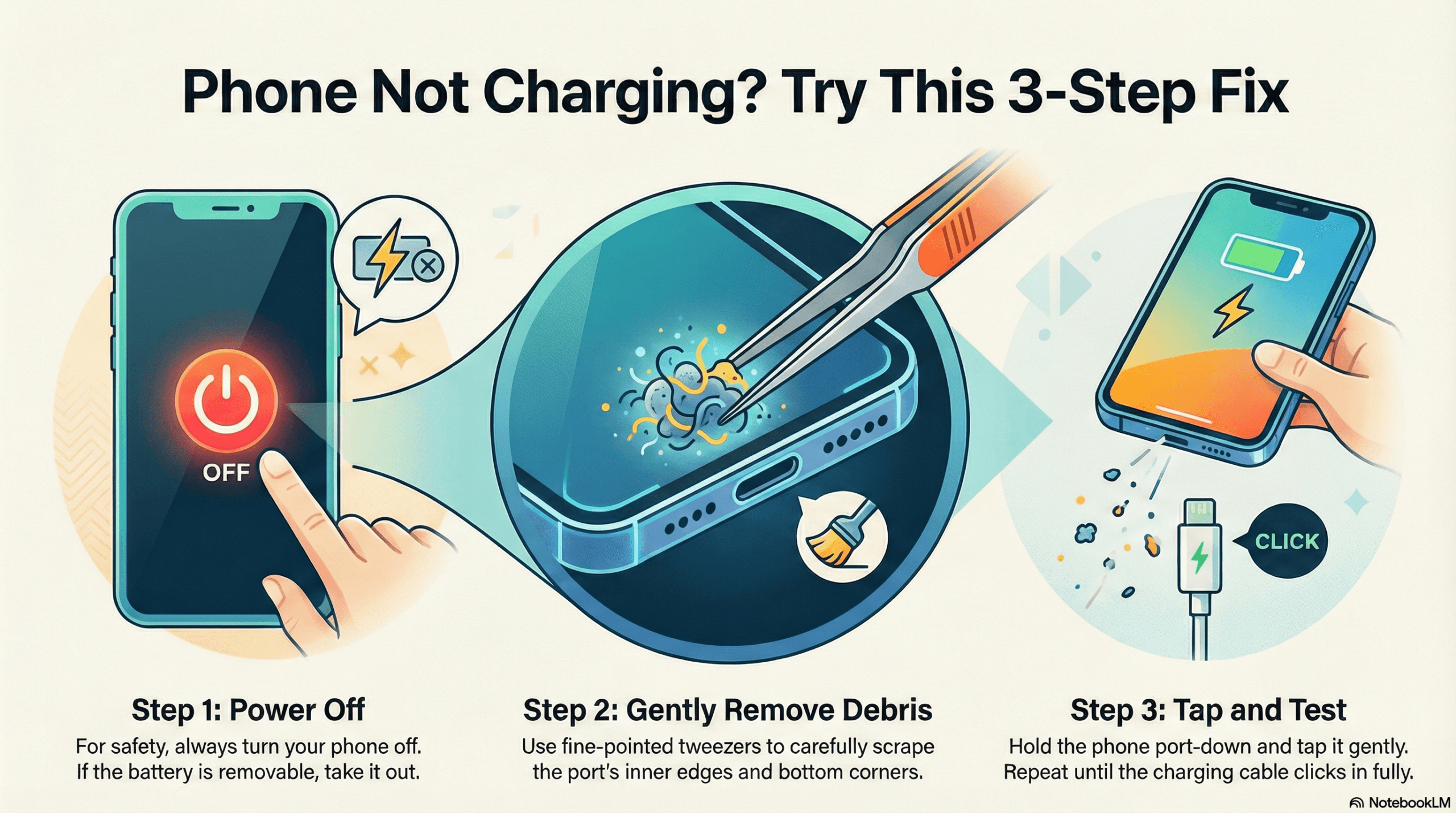
Check the charging port


This is the first thing I look at, because it's the most common cause by a mile.


Phones live in pockets, bags, cars, coat linings, sofas and all the rest of it. Over time, fluff and compacted debris build up inside the port. The cable no longer seats properly, and the phone either charges intermittently or stops altogether.


Most people don't realise how little debris it takes. The phone can look fine from the outside, but there's a compressed layer of muck right at the back of the port stopping the cable from fully connecting.

Rice in ports is more common than you'd think. Usually from someone trying the old "put it in rice" trick after moisture exposure. Another common one: the broken tip of a charging cable stuck inside. Someone snags the cable while walking past, yanks it out at an angle, and the end stays behind in the port. Every new cable they try won't go in properly, so they assume the phone has stopped charging.

Rule out the cable, plug and socket


After the port, the next thing I check is the charging setup itself.


People often assume the phone is the problem because that's the expensive bit. Faulty cables are incredibly common. So are bad plugs and dead wall sockets. I always test with multiple cables, plugs and sockets, especially the customer's own accessories, because sometimes the issue isn't the phone at all.

A cable can fail slowly too, which makes it misleading. Maybe it only charges at a certain angle, then eventually stops working entirely. By that stage, plenty of people are convinced the port has failed.

So before assuming the worst, try another known-good cable, another plug, and another socket.


Try a force restart


If the port looks clear and the accessories check out, I'll force restart the device. Click here to see how to do it on an iPhone


Not every charging issue is mechanical. Sometimes the phone has glitched, frozen, or got itself into a strange software state where charging appears dead when it isn't. A restart can clear that.


This won't fix every software-related issue, but it's worth trying before you decide the phone needs to come apart.


When it's more than dirt or a bad cable


If it's not debris, not the cable, not the plug, not the socket, and not a software hiccup, then it becomes a process of proper diagnosis.


At that point, I'm working through cause and effect. You take it apart, test methodically, and work out what has actually failed rather than guessing.


The common possibilities:


-A damaged charging port

-A battery that's gone flat and refuses to take charge

-Water damage

-Less commonly, a board-level fault


Software updates can seem like the tipping point too, especially with Apple devices. I've seen cases where an update coincides with battery cell issues becoming obvious. The update didn't magically smash the phone, but it can expose a battery already on the way out.


And every now and then, it turns out to be a board-level component. Far less common than people think, but it does happen.


The bad advice that makes things worse

This is where I get blunt.


A lot of charging problems start off minor and become expensive because people attack them the wrong way.


The worst things I commonly hear:


"I tried vacuuming it out."

That usually means they don't understand how suction behaves in a tiny port packed with compacted debris. It rarely solves the problem.


"I blasted it with compressed air."

Bad idea. That can force debris further in or cause damage.


"I poked around with a screwdriver."

Possibly the worst of the lot.


If your idea of DIY repair is sticking a screwdriver into a charging port, stop. Especially if the screwdriver is bigger than the hole you're trying to put it in.


That's how a simple clean-out turns into a damaged port, torn pins, or a much bigger repair bill.

What I'd do first if your phone isn't charging

In a sensible order: I have a detailed article about how to clean a charging port here


1. Inspect the port. Look for fluff, dirt, debris, rice, or anything lodged inside. "Looks clean" doesn't mean it is.

2. Try another cable. Use one you know works.

3. Try another plug and another socket. Eliminate the power source before blaming the phone.

4. Force restart the device. Sometimes the issue is temporary and software-related.

5. Pay attention to warning signs. If the cable won't sit right, the port feels loose, the phone got wet recently, or it only charges at a weird angle, that tells you something useful.

When to stop and call a professional


There's a point where DIY stops being sensible.


My general rule: if your next move involves jamming something metal into the charging port, you've already gone too far.


Take it to a professional when:


-The port may have something physically stuck inside

-The phone has had water damage

-The cable won't seat properly

-Charging only works at odd angles

-You've tried multiple good cables, plugs and sockets with no result

-The phone shows signs of battery failure

-You're thinking of using a screwdriver


A decent technician should be able to tell fairly quickly whether it's debris, a damaged port, a battery issue, or something deeper on the board.


The biggest thing people get wrong


The biggest mistake people make is assuming "not charging" means "serious internal fault."


In my experience, most of the time it means something simple has been missed.


That's good news. Simple faults are usually cheaper and easier to sort. They only stay simple if nobody has had a go at "fixing" them with a vacuum, an airline, or a screwdriver.


Final thought


After years repairing technology, I've learned that the job is rarely about guessing. It's about slowing down, checking the obvious first, and working logically from the most common cause to the least common.


With phones that won't charge, the obvious cause wins far more often than people expect.

So before you write off your phone, start with the port, test the accessories, restart the device, and resist the urge to attack it with whatever tool happens to be nearest.


That alone will save a lot of people from turning a small problem into a bigger one.

We have another post with the 10 top Common iPhone problems people face here - along with all the simple solutions that will solve the problems

Leave a Reply